Wine Pass Docs
Level up your multi-tenant customer management with Wine Pass. Featuring advanced tagging logic to share group tags across Commerce7 tenants, with flexible group management to enable advanced collaboration. Share group tags between your own brands or partner wineries — independently. Easily create and invite other tenants to a group to sync the group tag for club member matches, giving your customers seamless recognition across every winery in your network.
Introduction
Welcome to the Wine Pass documentation. This guide will walk you through installing, configuring, and getting the most out of Wine Pass for your winery network.
Level up your multi-tenant customer management with Wine Pass. Featuring advanced tagging logic to share group tags across Commerce7 tenants, with flexible group management to enable advanced collaboration. Share group tags between your own brands or partner wineries — independently. Easily create and invite other tenants to a group to sync the group tag for club member matches, giving your customers seamless recognition across every winery in your network.
Tags are applied automatically and stay in sync — added or removed as membership status changes. New customers are auto-validated so benefits apply immediately from sign-up, reservations, or purchases.
Features
- Coming Soon: Sync Loyalty Points - If you have the Loyalty extension by Commerce7, allows you to keep loyalty points in-sync across tenants
Requirements
Before you begin, make sure you have:
- Commerce7 admin access
- (Optional) Multiple Commerce7 tenants OR wineries to collaborate withWine Pass works standalone too — use it to tag shared club members across your own brands
Setup Instructions
Step 1: Find & Install Wine Pass
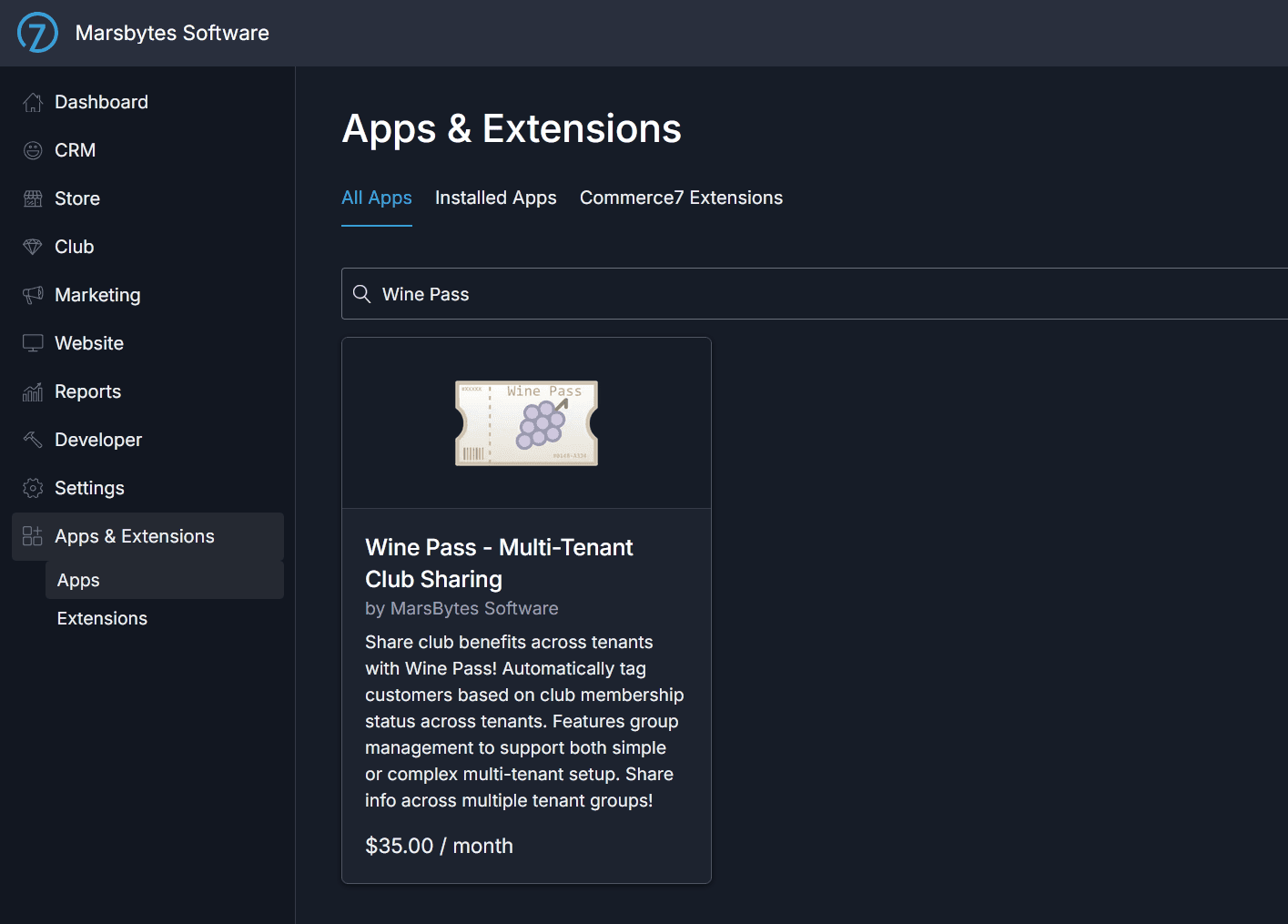
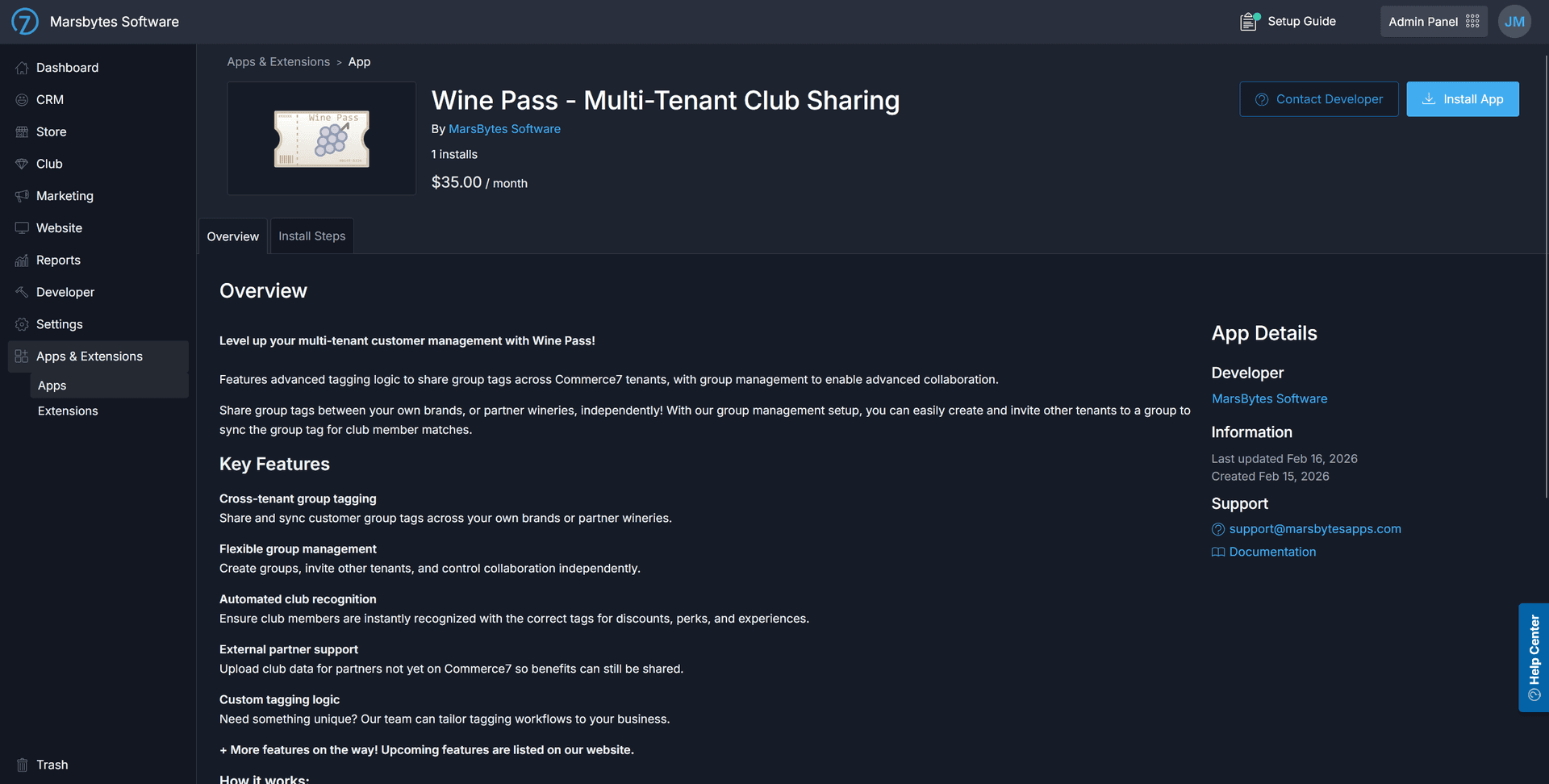
Search for "Wine Pass" in the Commerce7 App Store and install it. The app integrates directly into your Commerce7 admin panel.
Step 2: Open App Settings
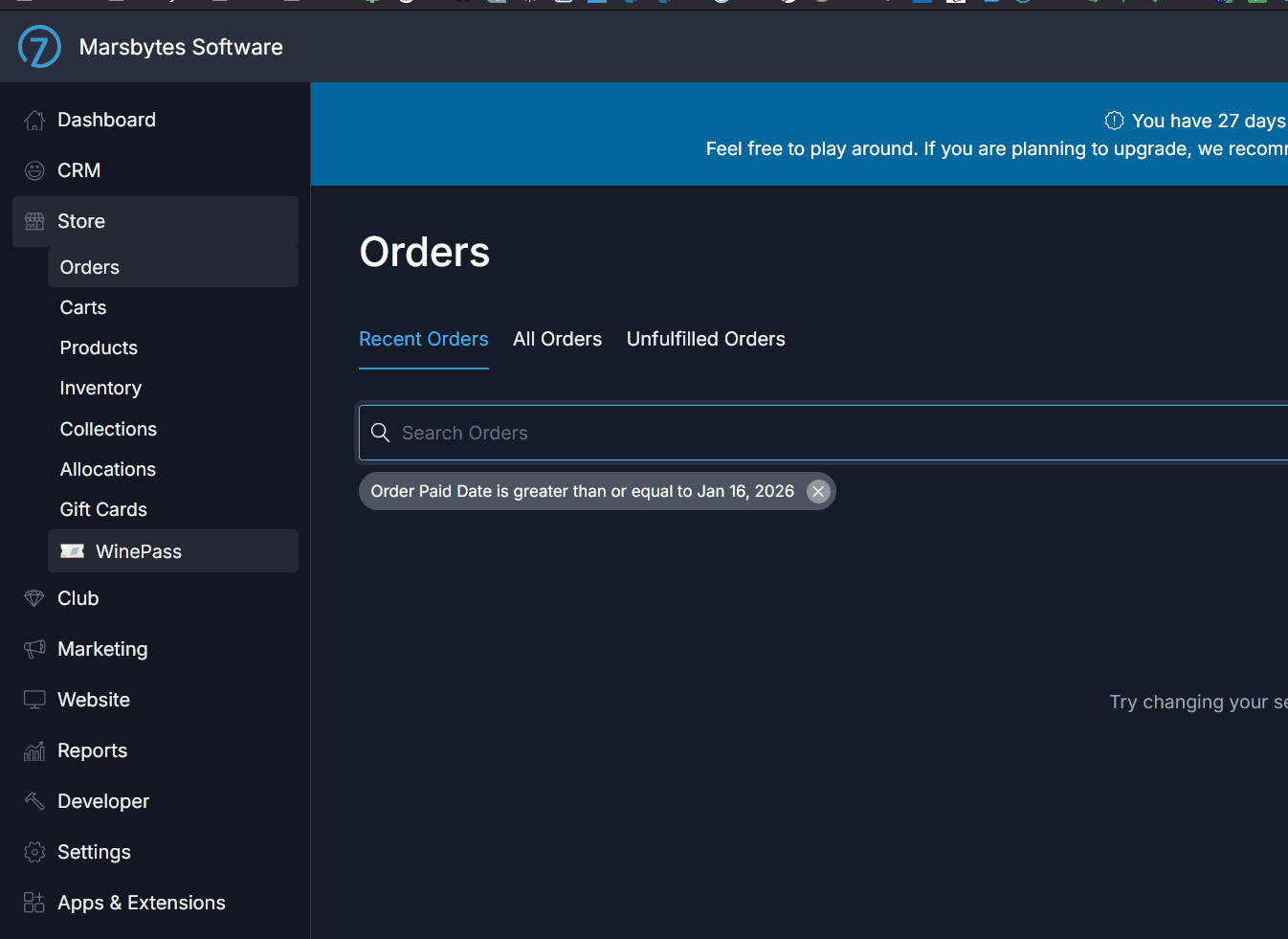
After installation, navigate to the Wine Pass app settings in your Commerce7 admin panel. This is where you'll manage your groups and configure the app.
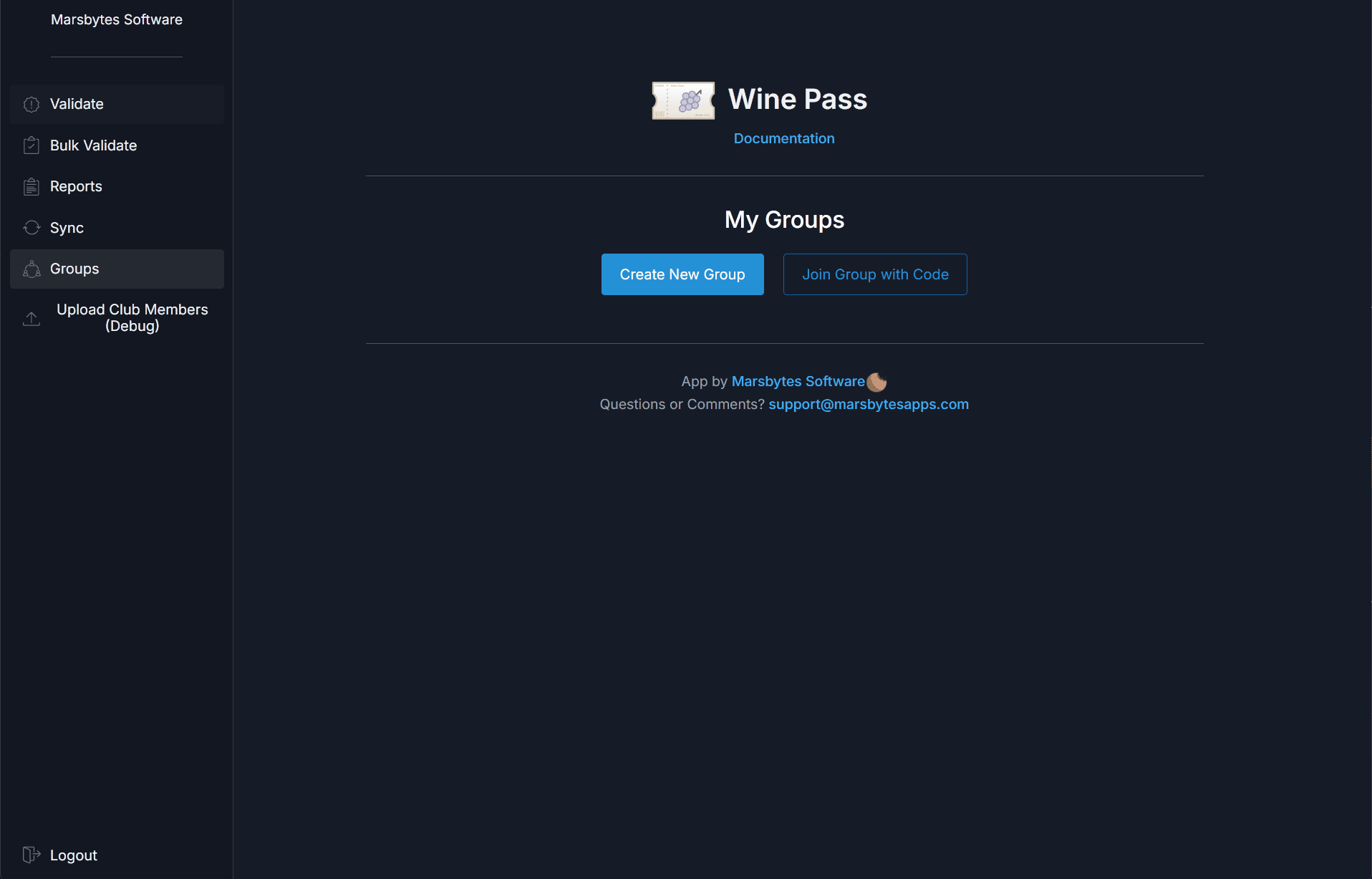
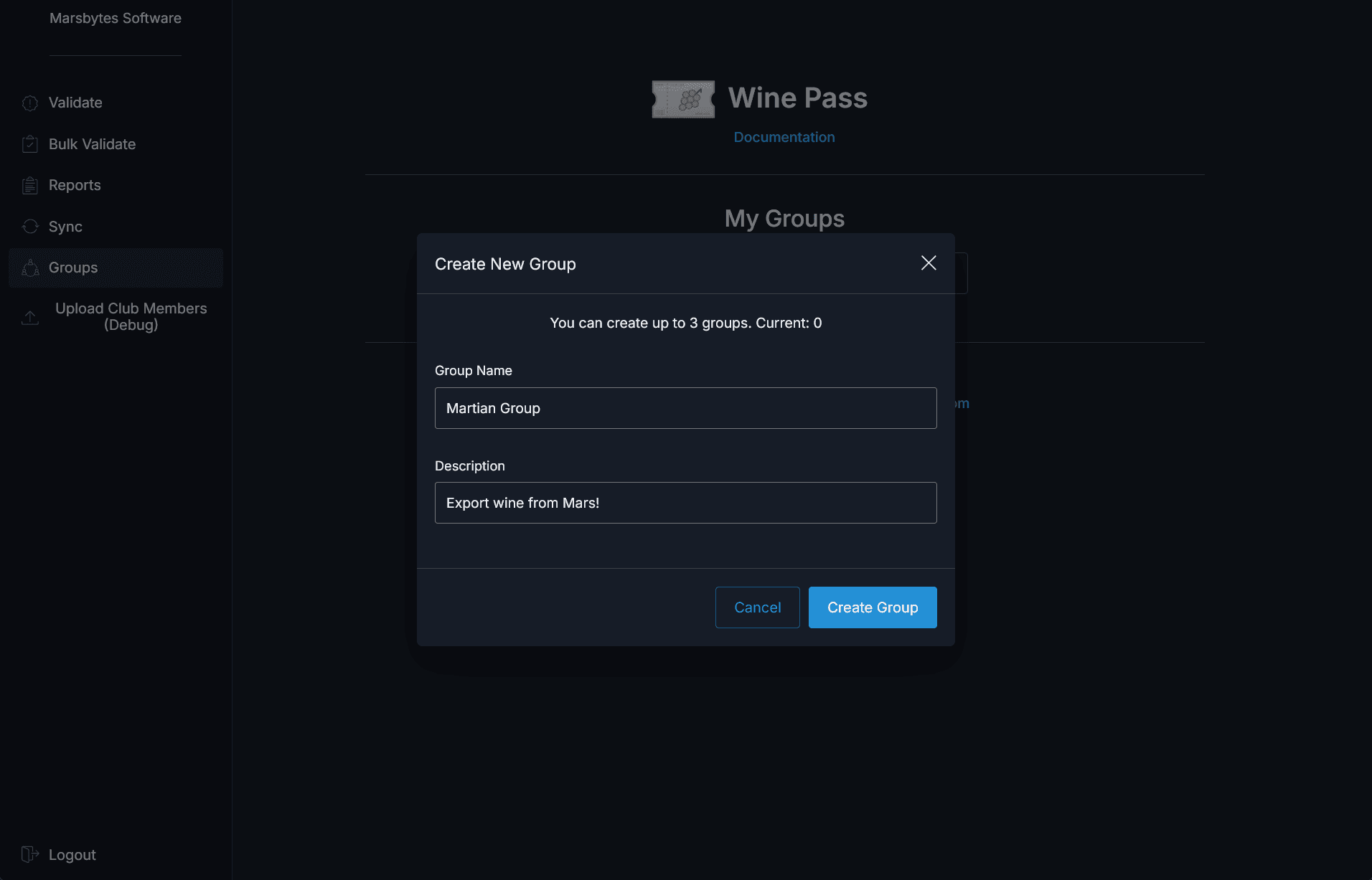
Step 3: Create or Join a Group
Create a new group to start a collaboration network, or join an existing one using an invite code from a partner winery. You can participate in multiple groups simultaneously — each with its own tag logic.
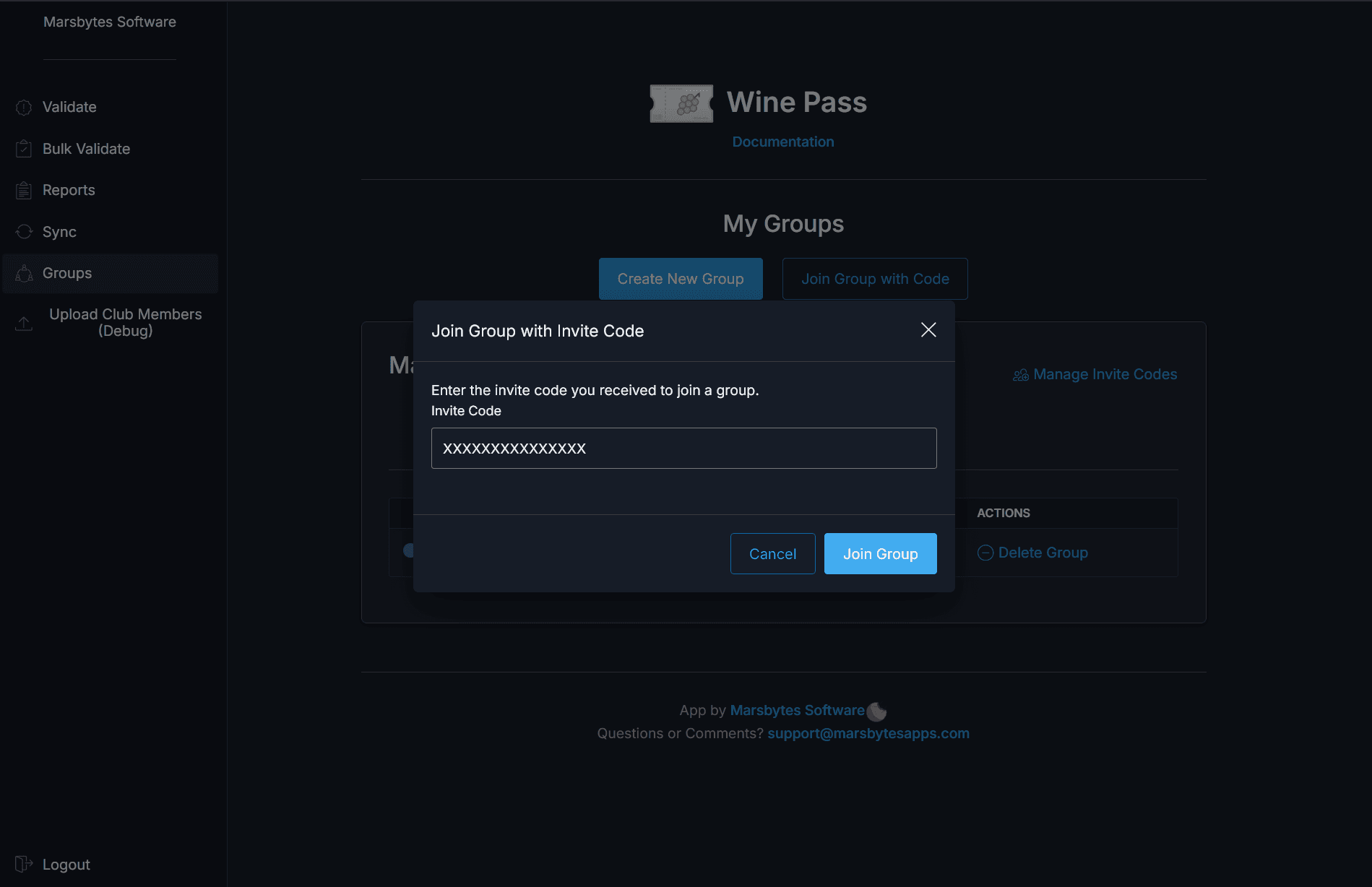
On the partner tenant, click "Join Group" to enter the code provided by the group admin.
Step 4: Invite Partner Wineries
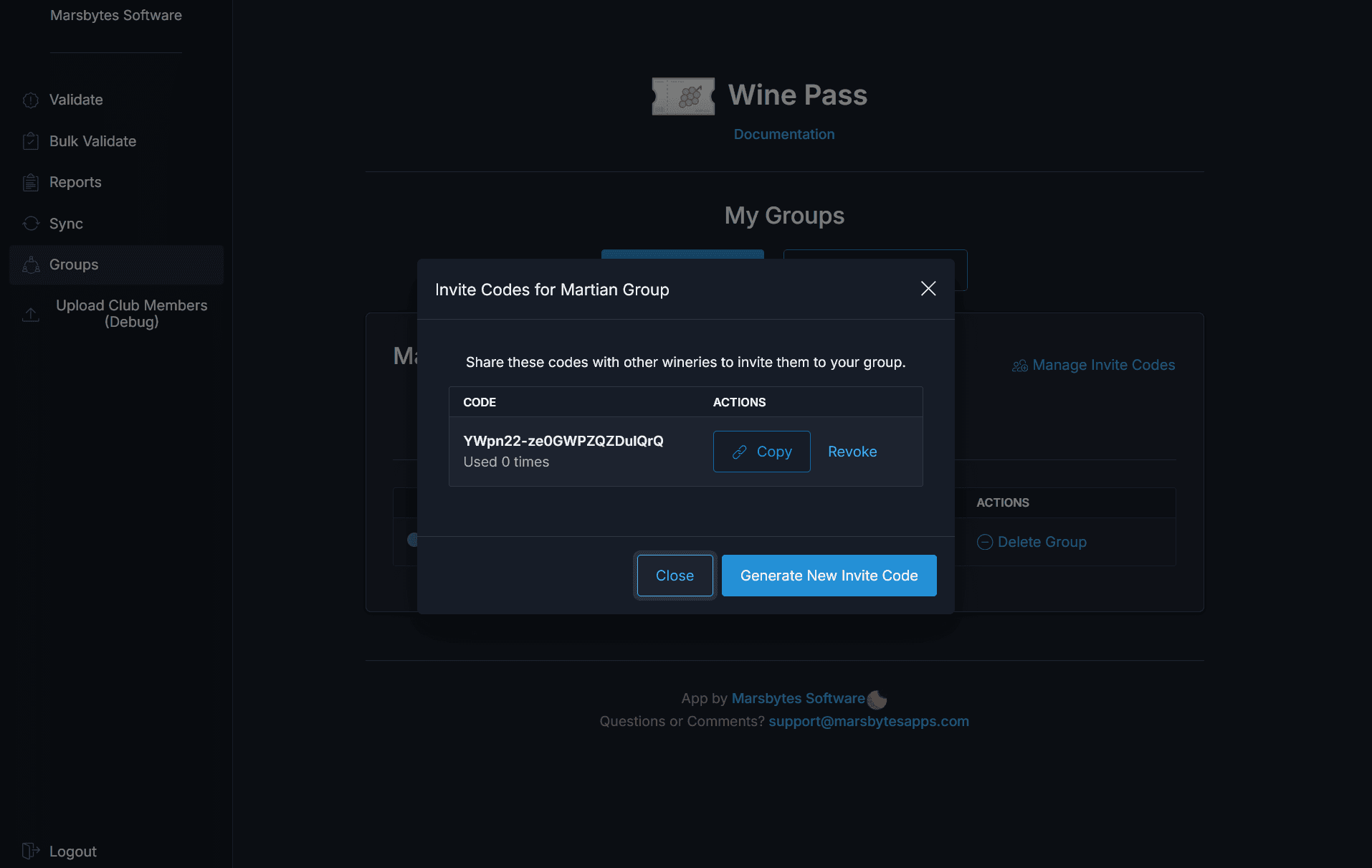
Share your group's invite code with partner wineries so they can join. Once joined, club member data is shared across all tenants in the group for seamless cross-winery validation.
Step 5 (Optional): Add External Partners
For partner wineries not on Commerce7, contact support to set up external access credentials. This allows partners to:
- Access the app from outside Commerce7
- Upload their own club member lists for sharing
- Participate in group validation without a Commerce7 account
Group Management
Wine Pass's group management is what sets it apart from competitor apps. Create and manage multiple independent groups — each with its own set of member wineries and tag configuration. This is ideal for wineries participating in multiple regional collectives or brand partnerships at once.
Managing Your Groups
The group management dashboard gives you a full view of all groups you're participating in, who's in each group, and which tags are being applied.
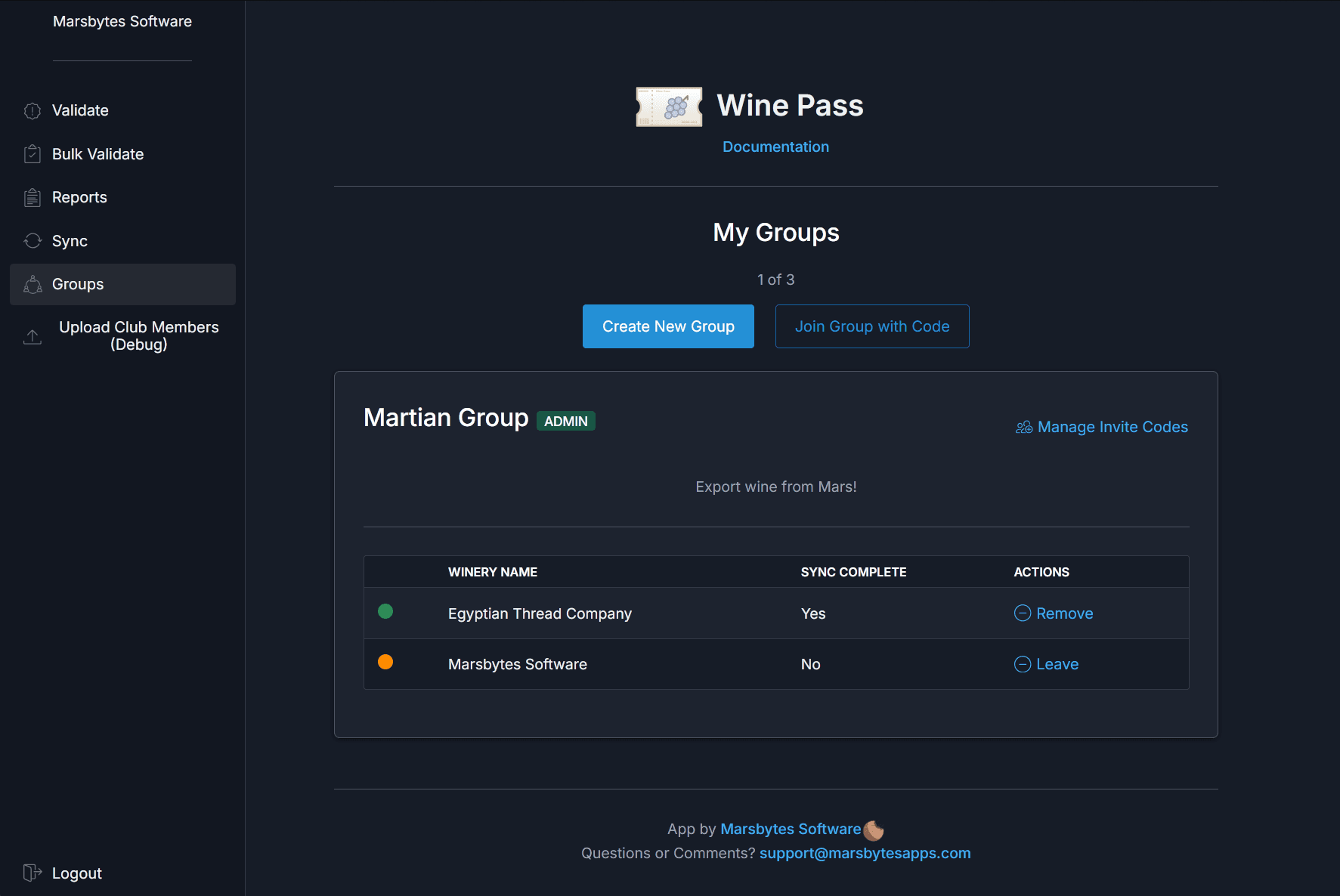
Key Advantage vs. Competitors
Most multi-tenant validation apps lock you into a single collective. Wine Pass lets you independently manage multiple groups — share different tags with different partners, all from one app. Perfect for wineries in regional alliances, shared ownership brands, or multiple event partnerships.
Using the App
Customer Page Validation
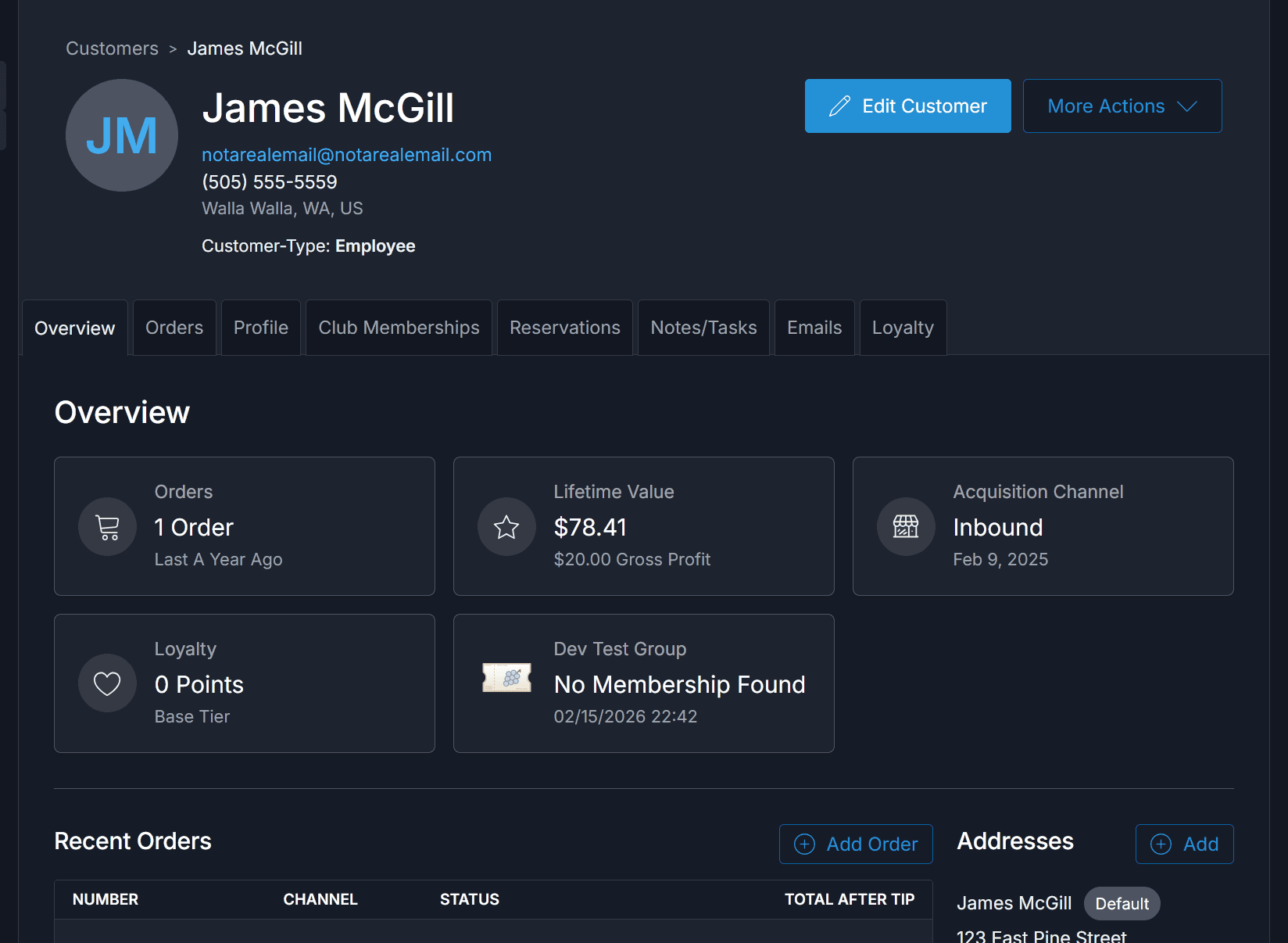
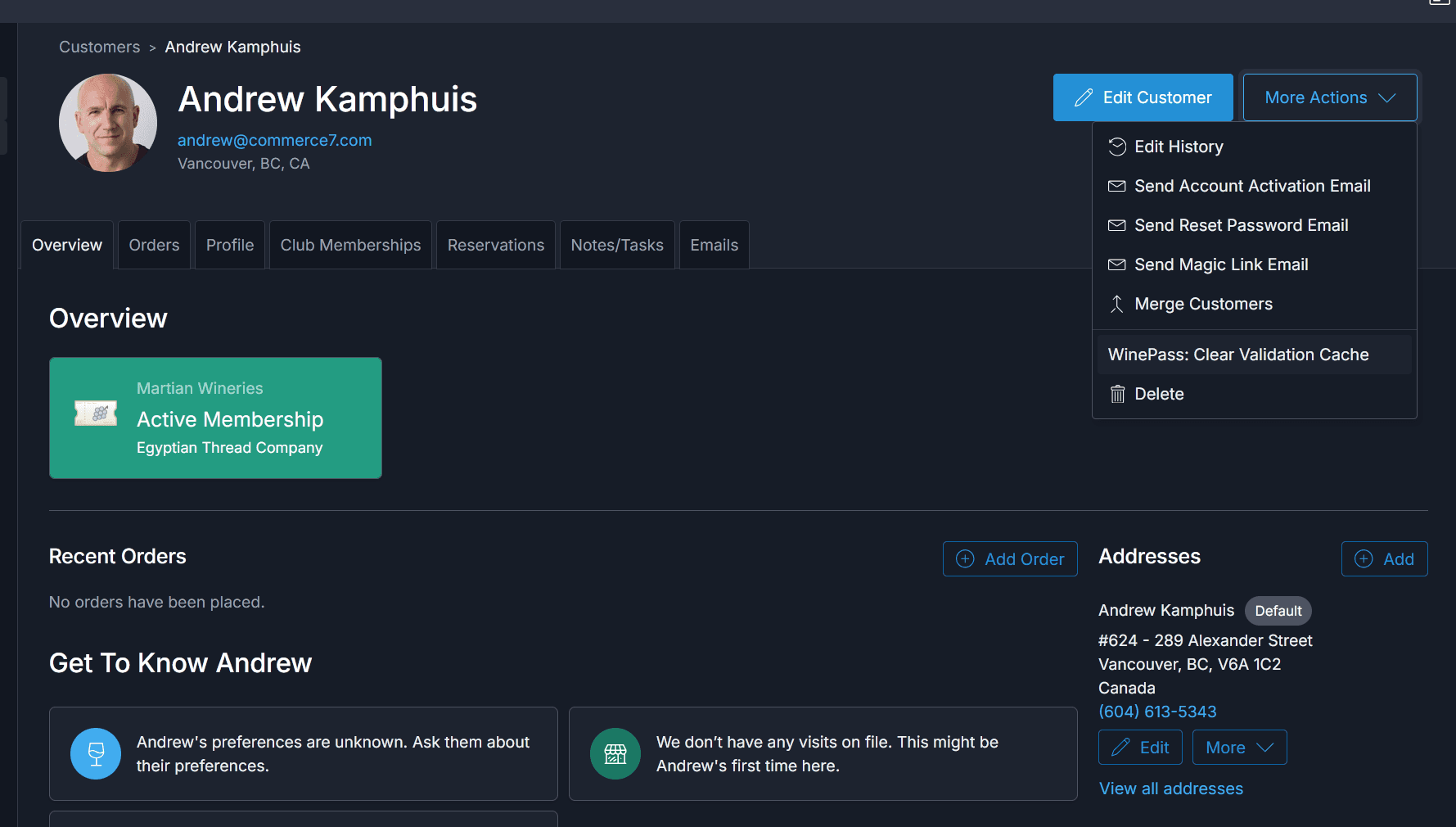
Validate a customer's group membership directly from their Commerce7 customer detail page — accessible from both the admin panel and the POS. The app displays their validation status across all of your groups instantly.
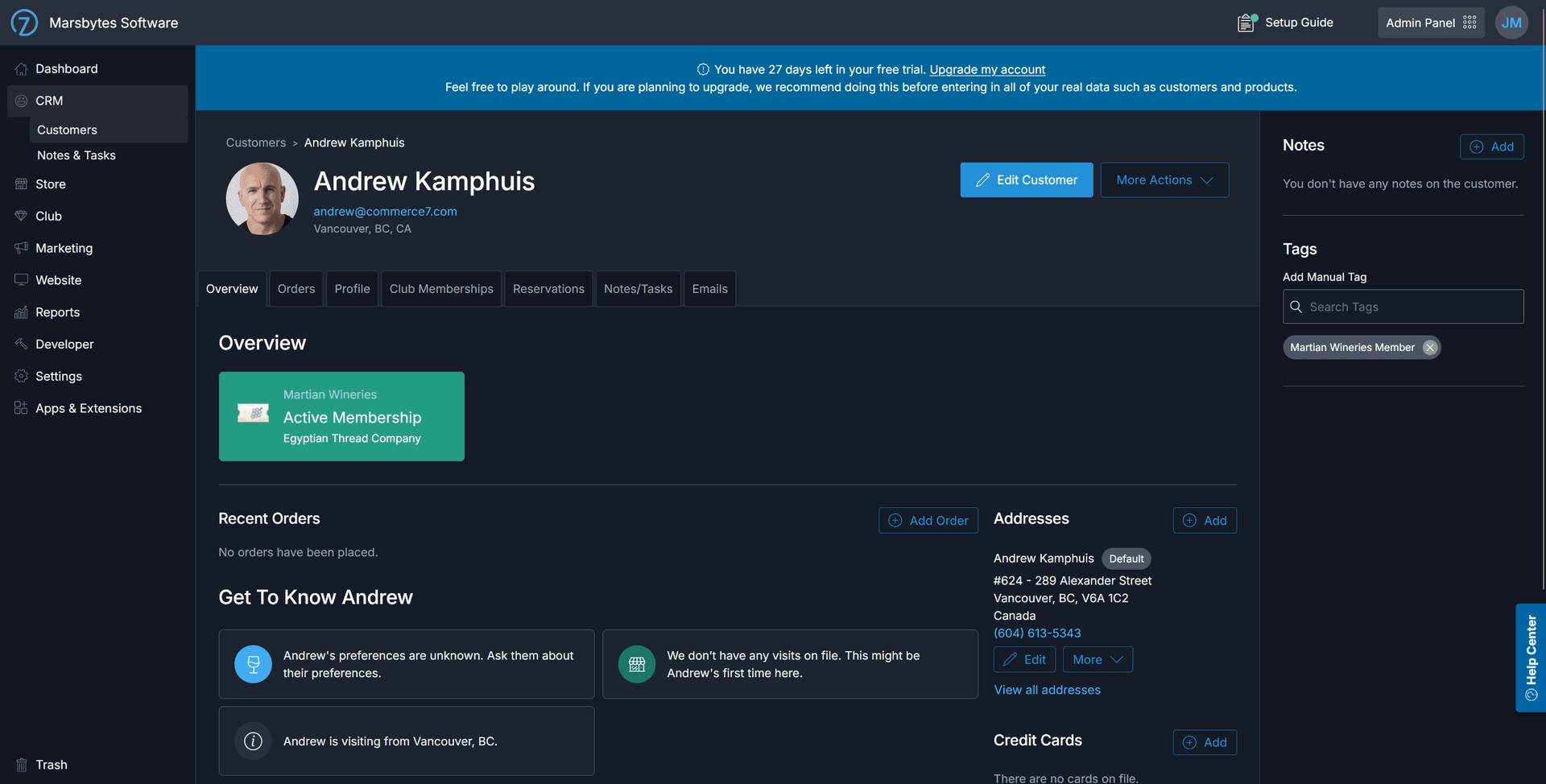
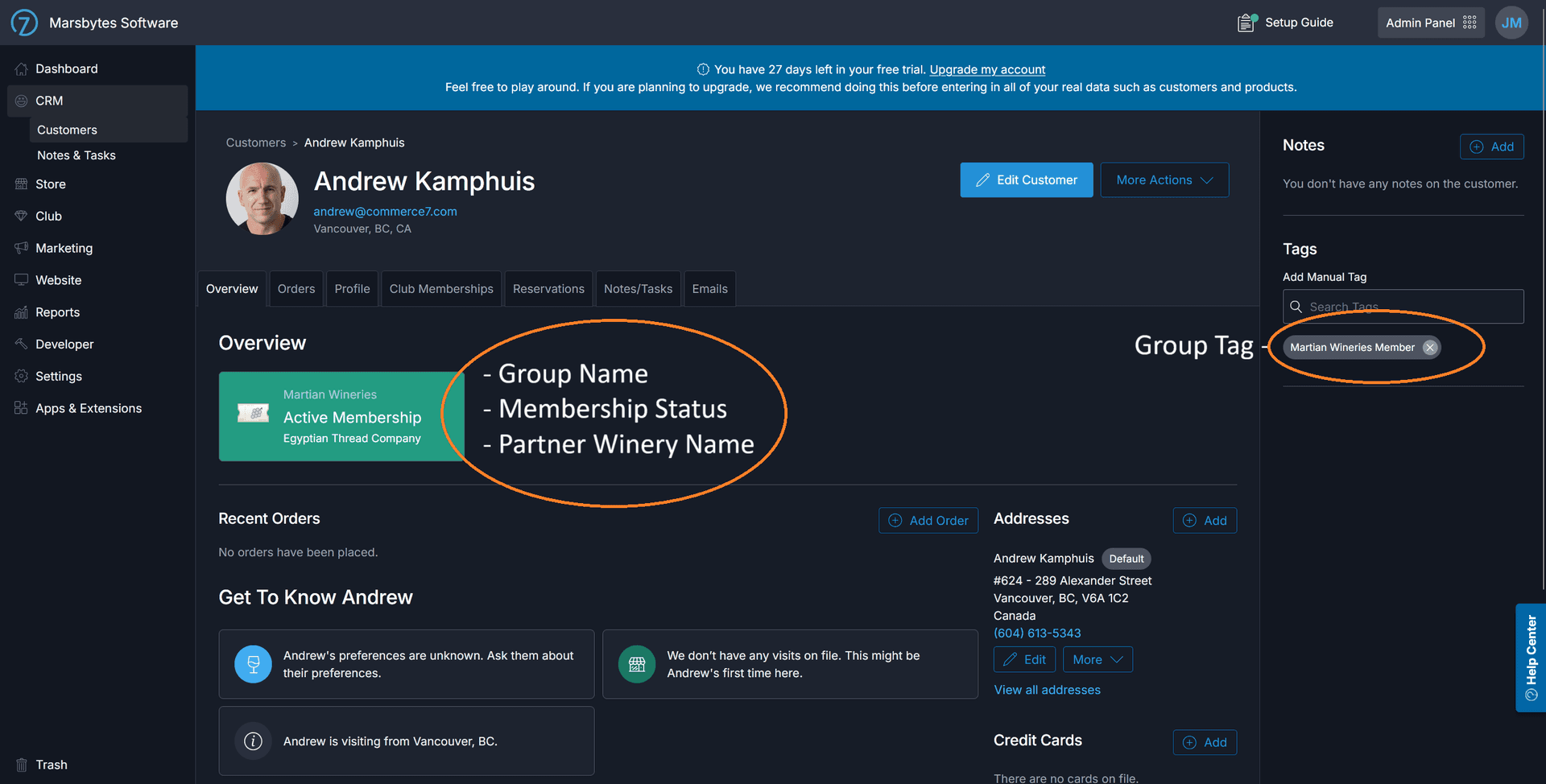
Validated members display a badge for each group they're recognized in.
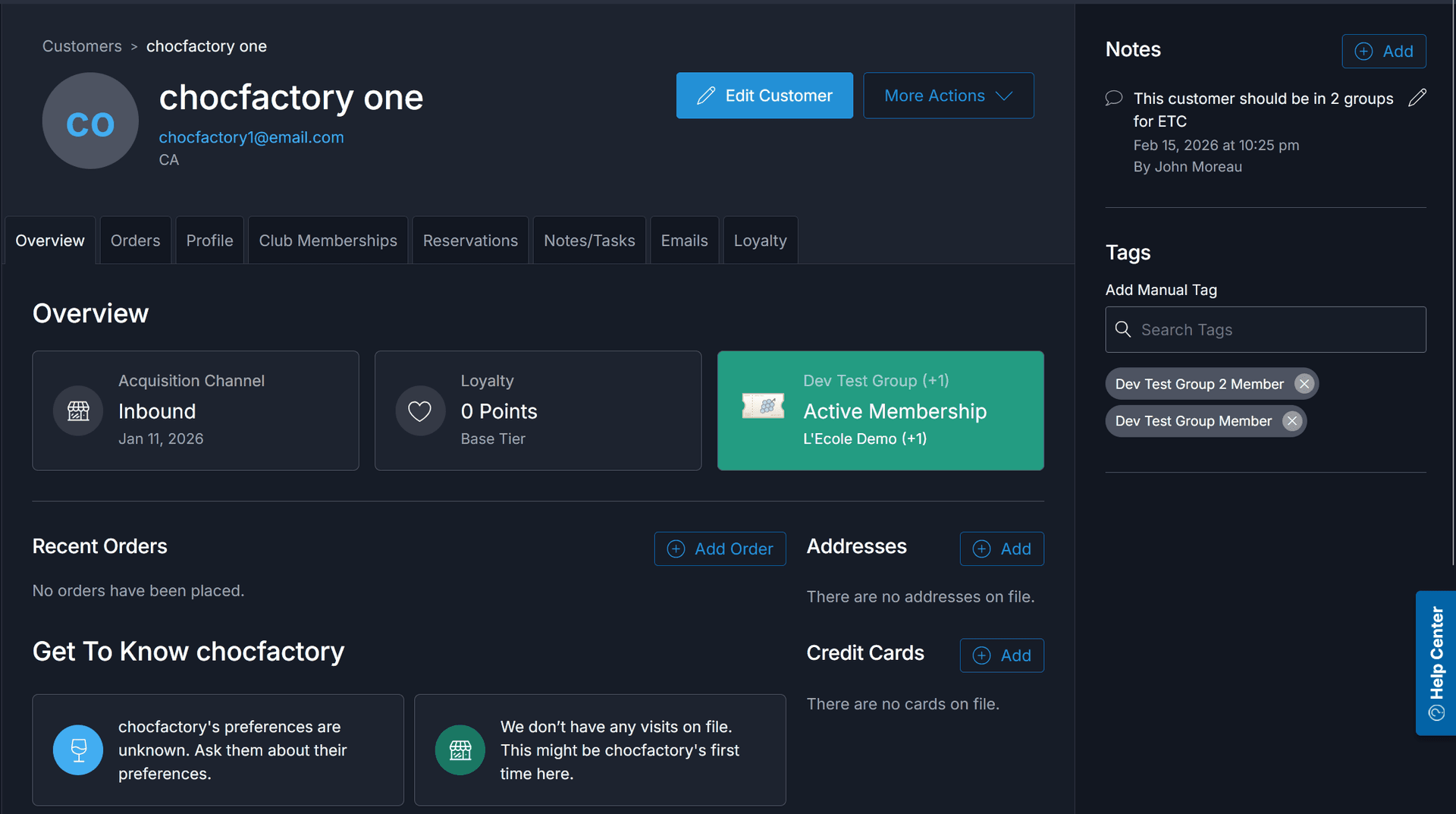
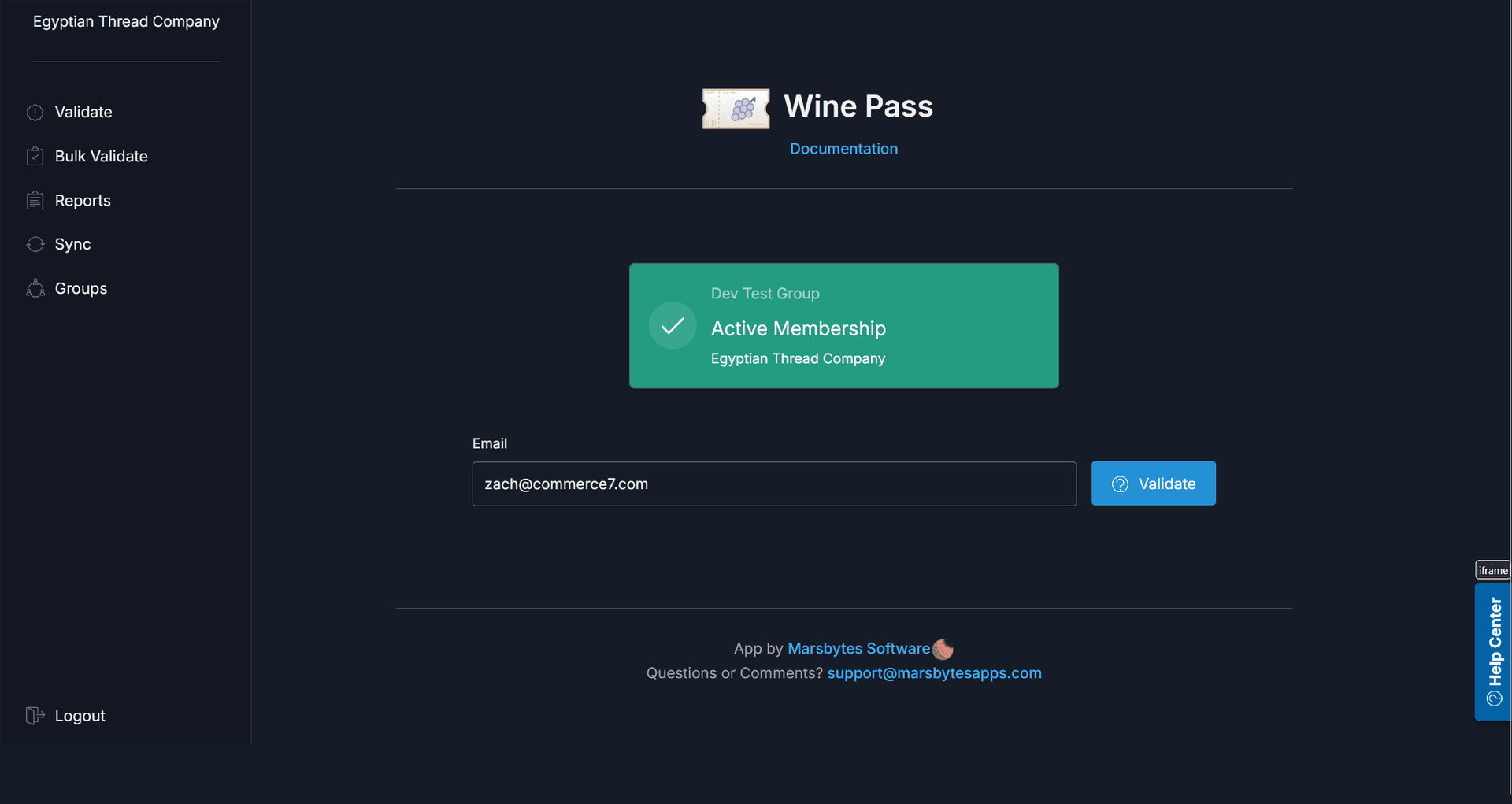
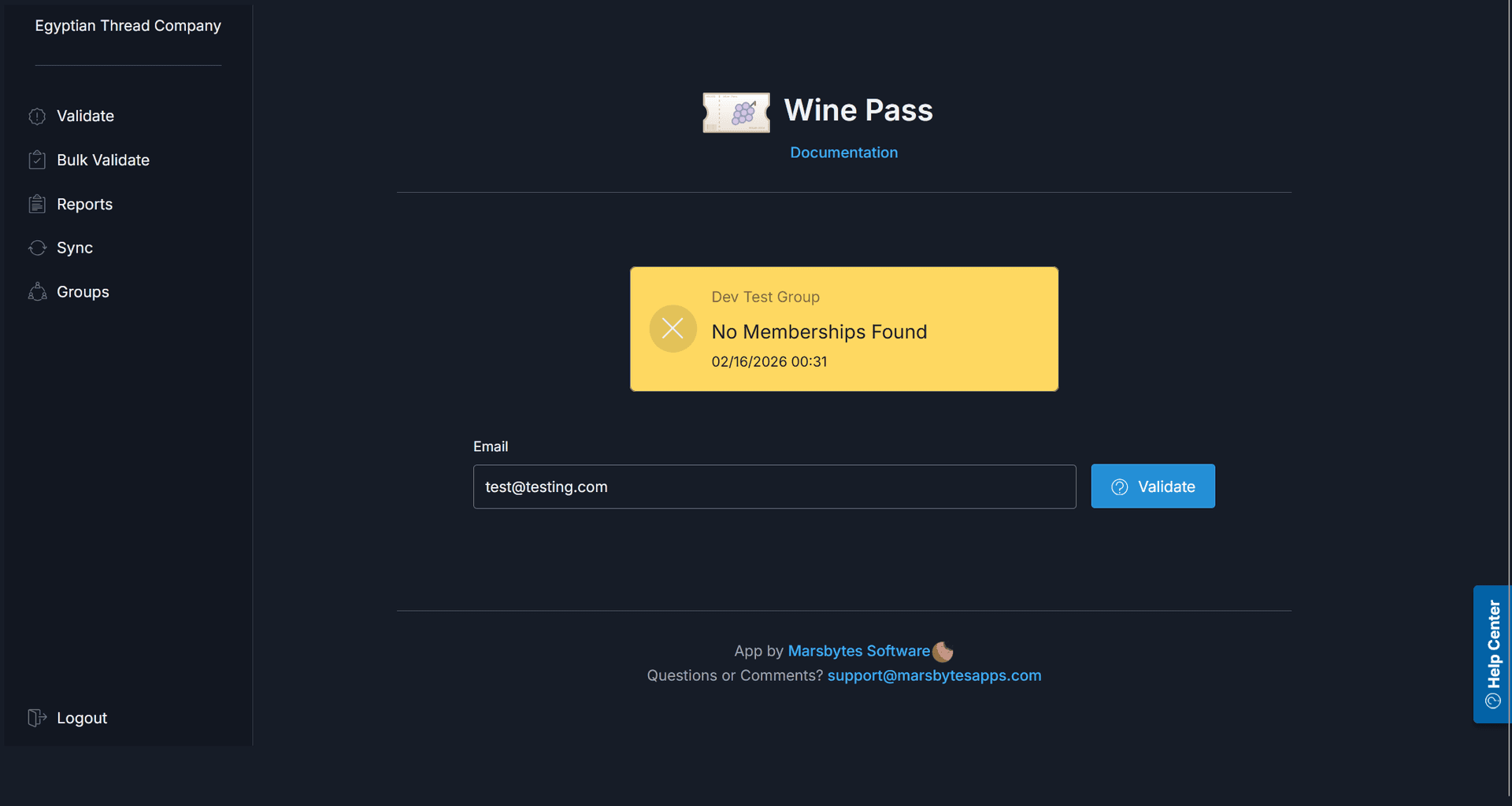
Members not found in any group show a clear "No Membership Found" status.
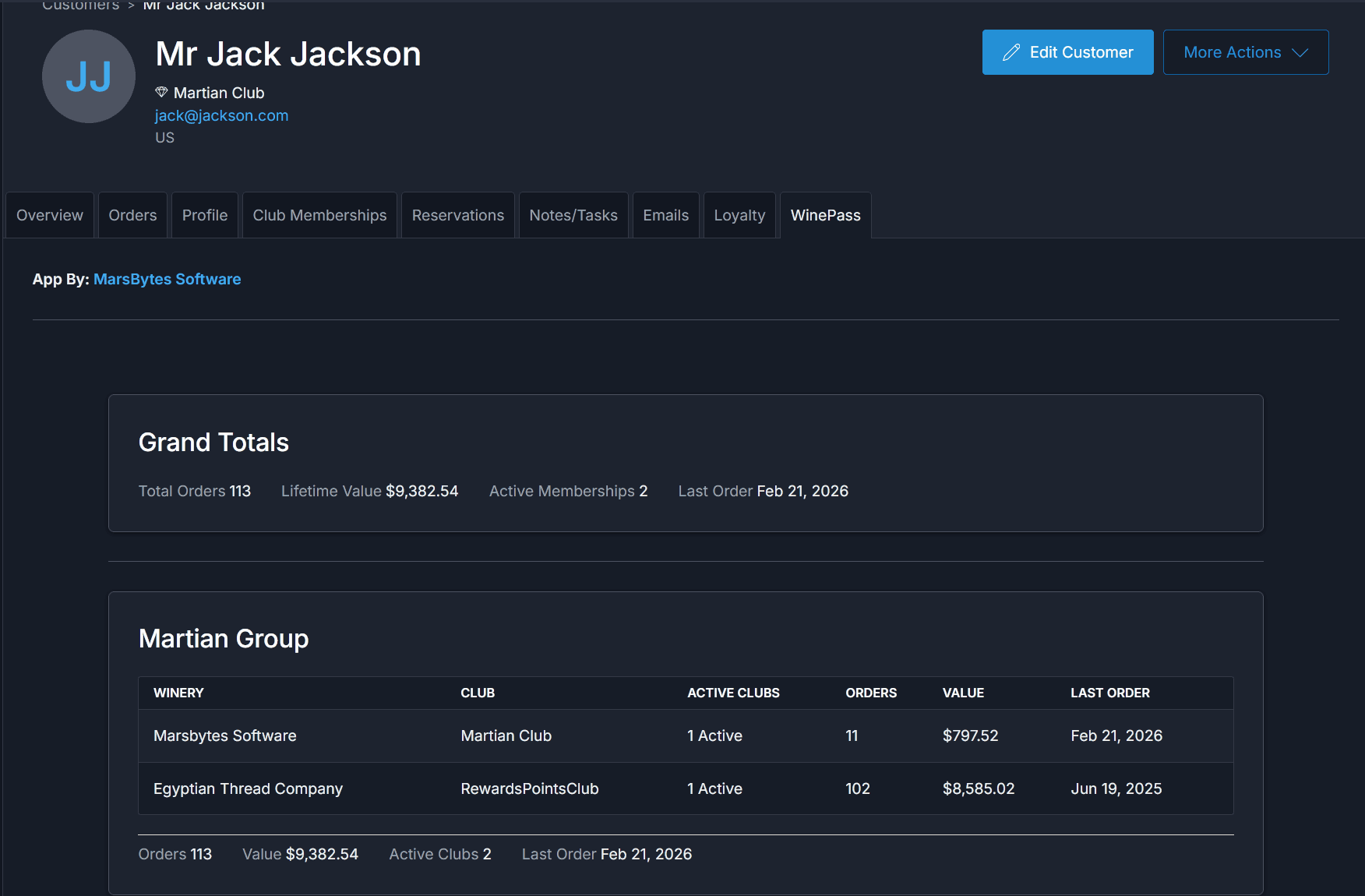
Shared Customer Info Tab
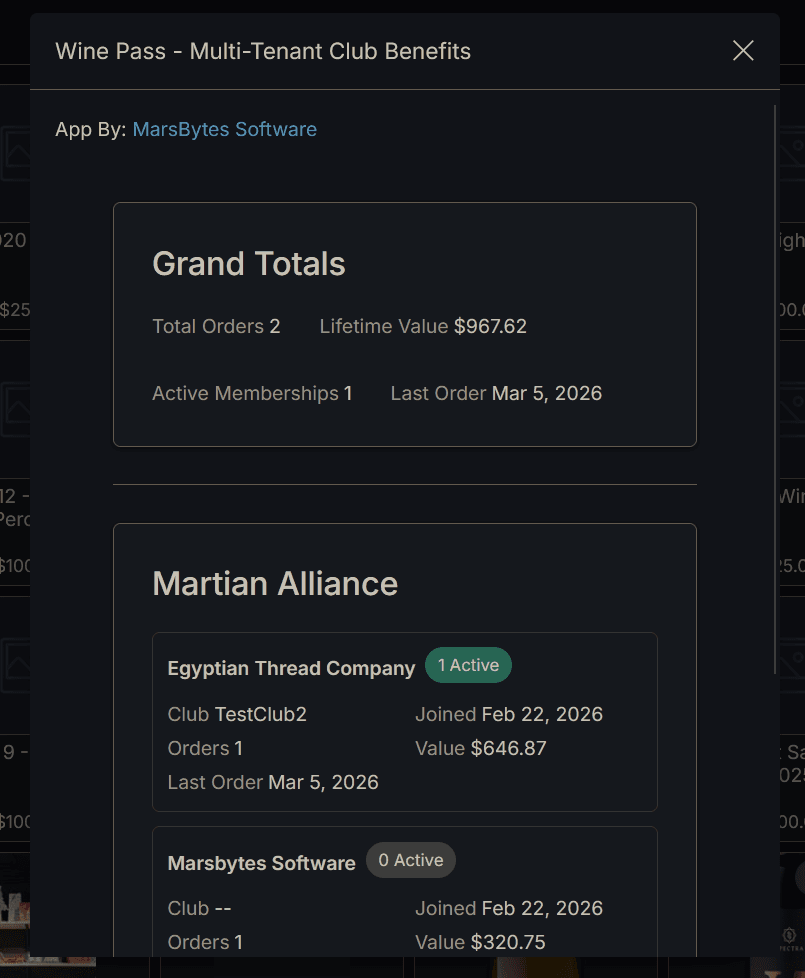
View club memberships and aggregated customer info across all tenants in your network — all from a single tab on the customer detail page. Get a complete picture of cross-winery engagement without leaving Commerce7.
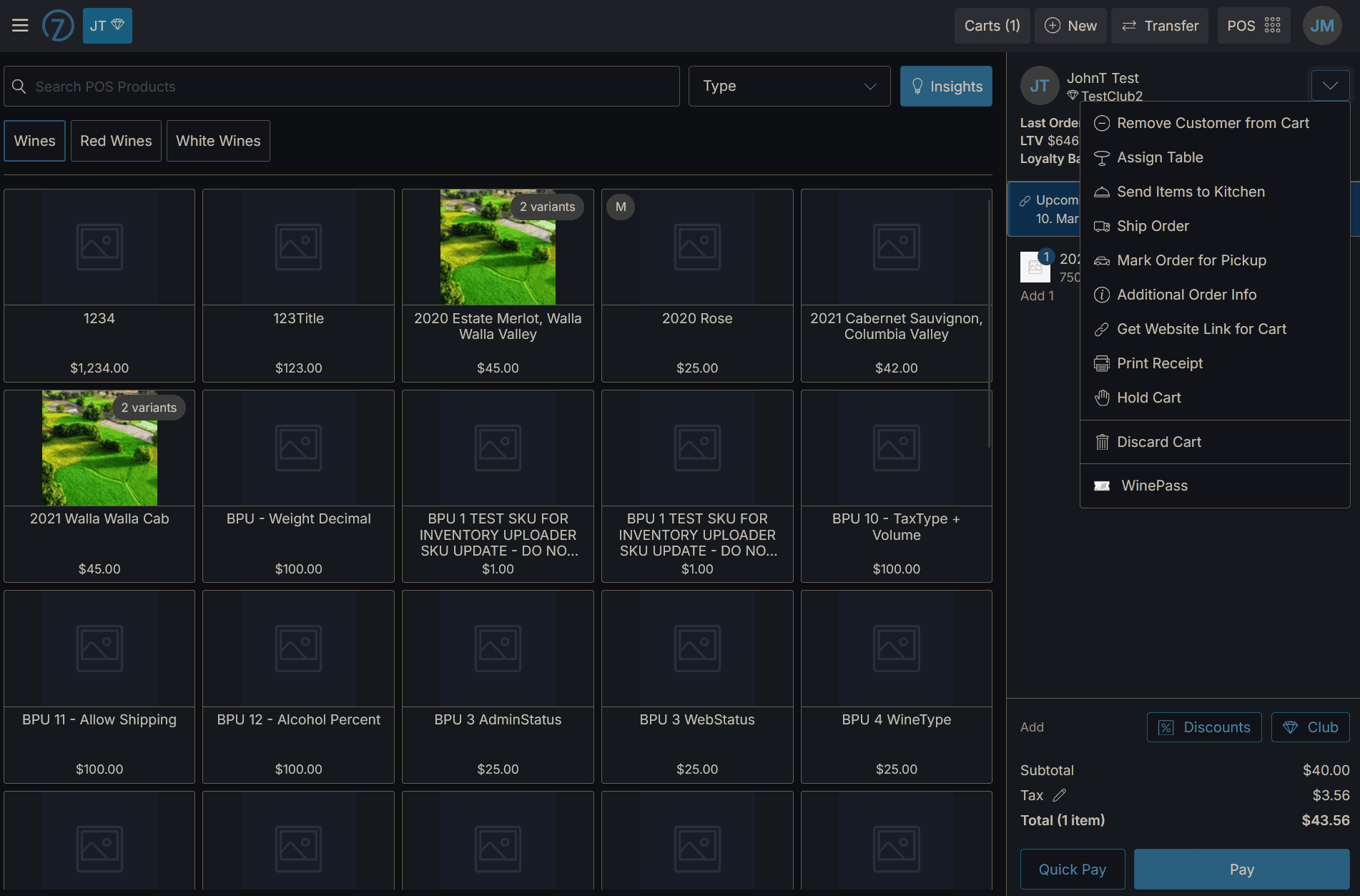
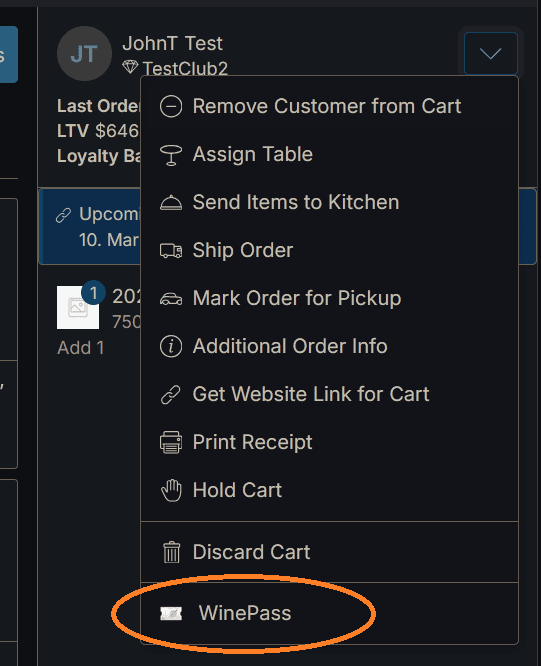
Quickly access the customer info right from the POS quick actions dropdown!
Shared Customer Metadata
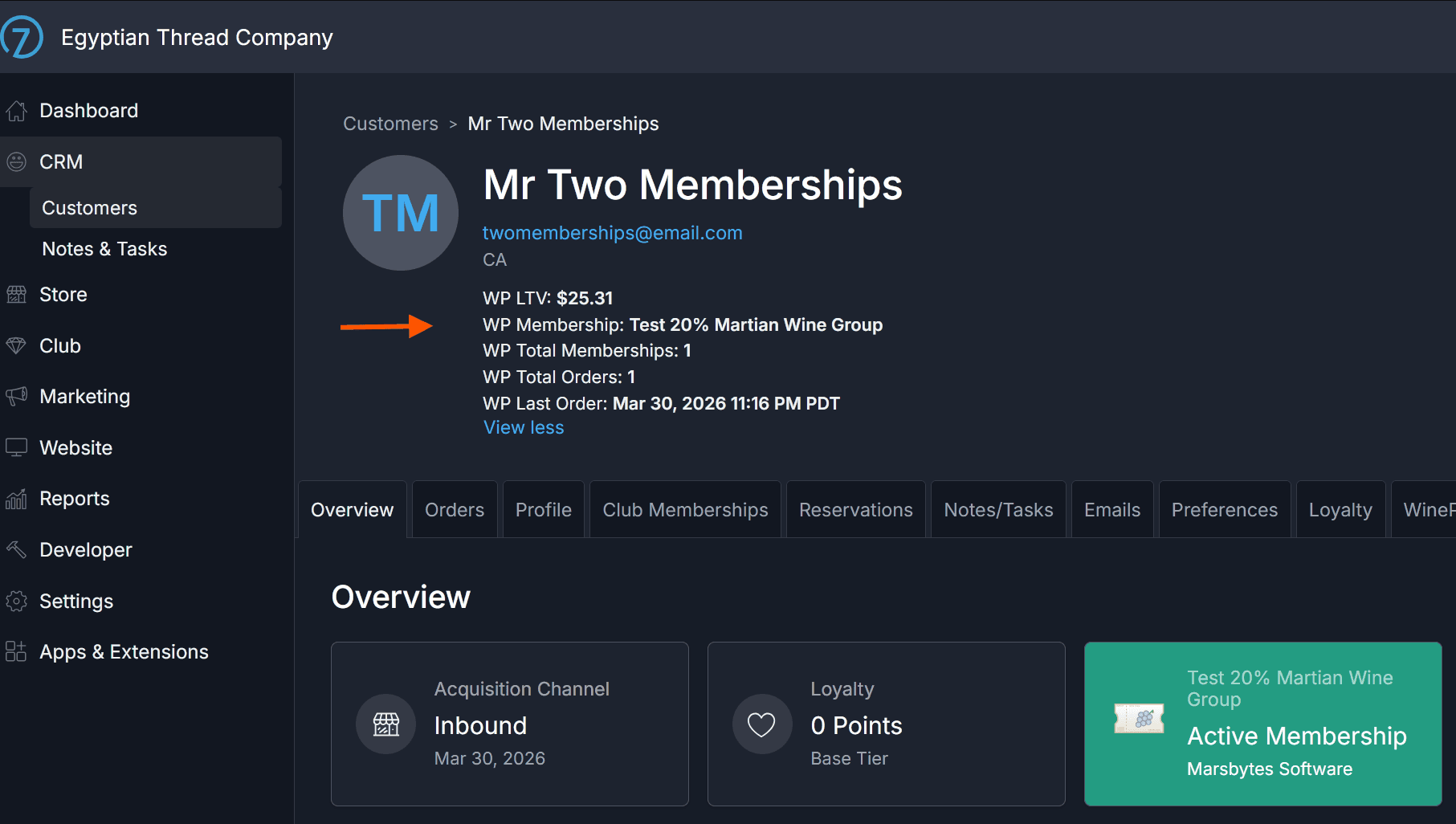
Wine Pass syncs key shared customer insights to custom fields on the customer detail page each night. Cross-winery data like the customer's primary group, combined Lifetime Value (LTV), total orders, and last order date is always right where you need it.
Manual Email Validation
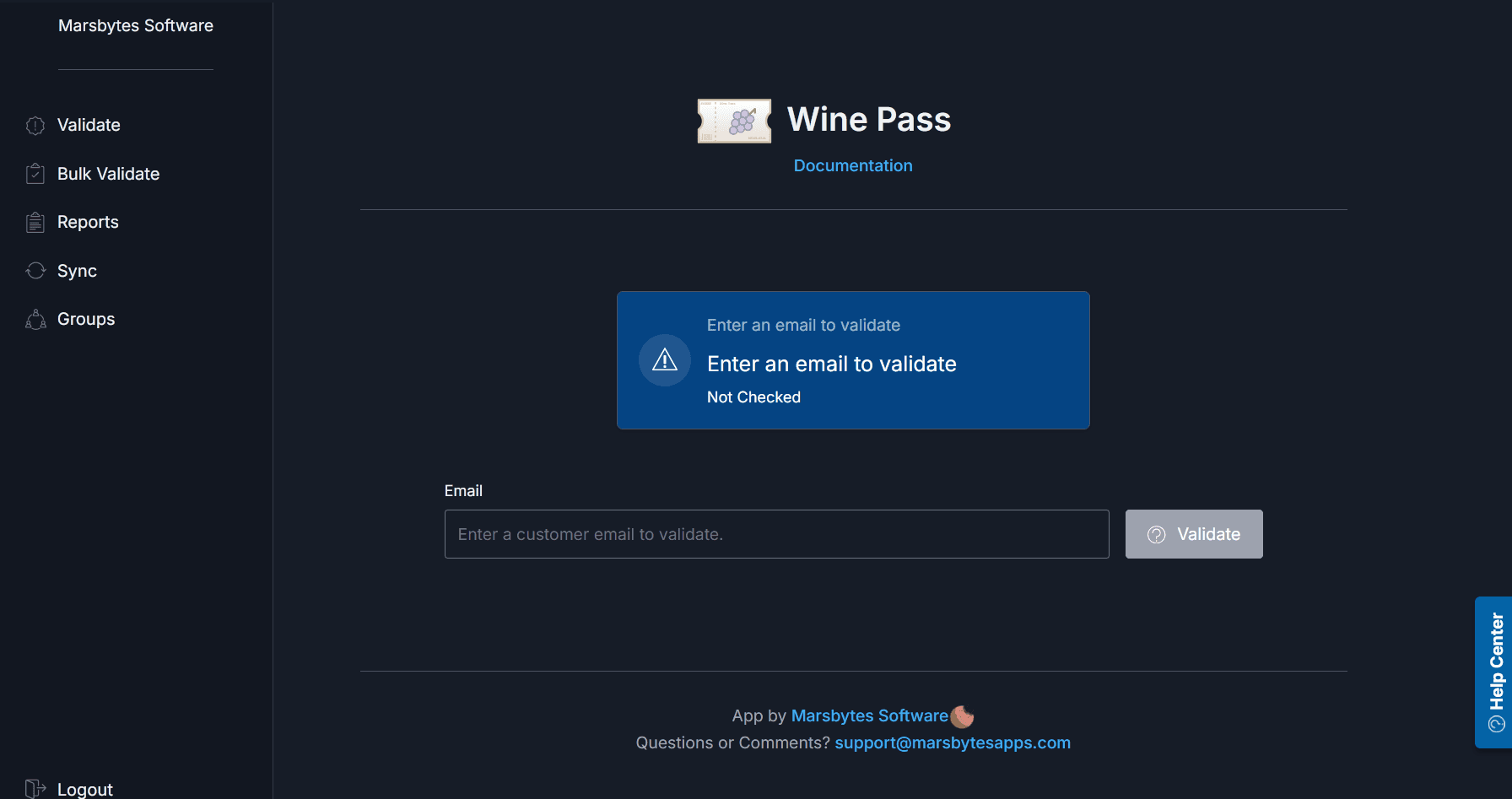
Use the manual validation form to look up any customer by email — great for quickly checking an email, or for wineries not on Commerce7.
Manual Data Sync
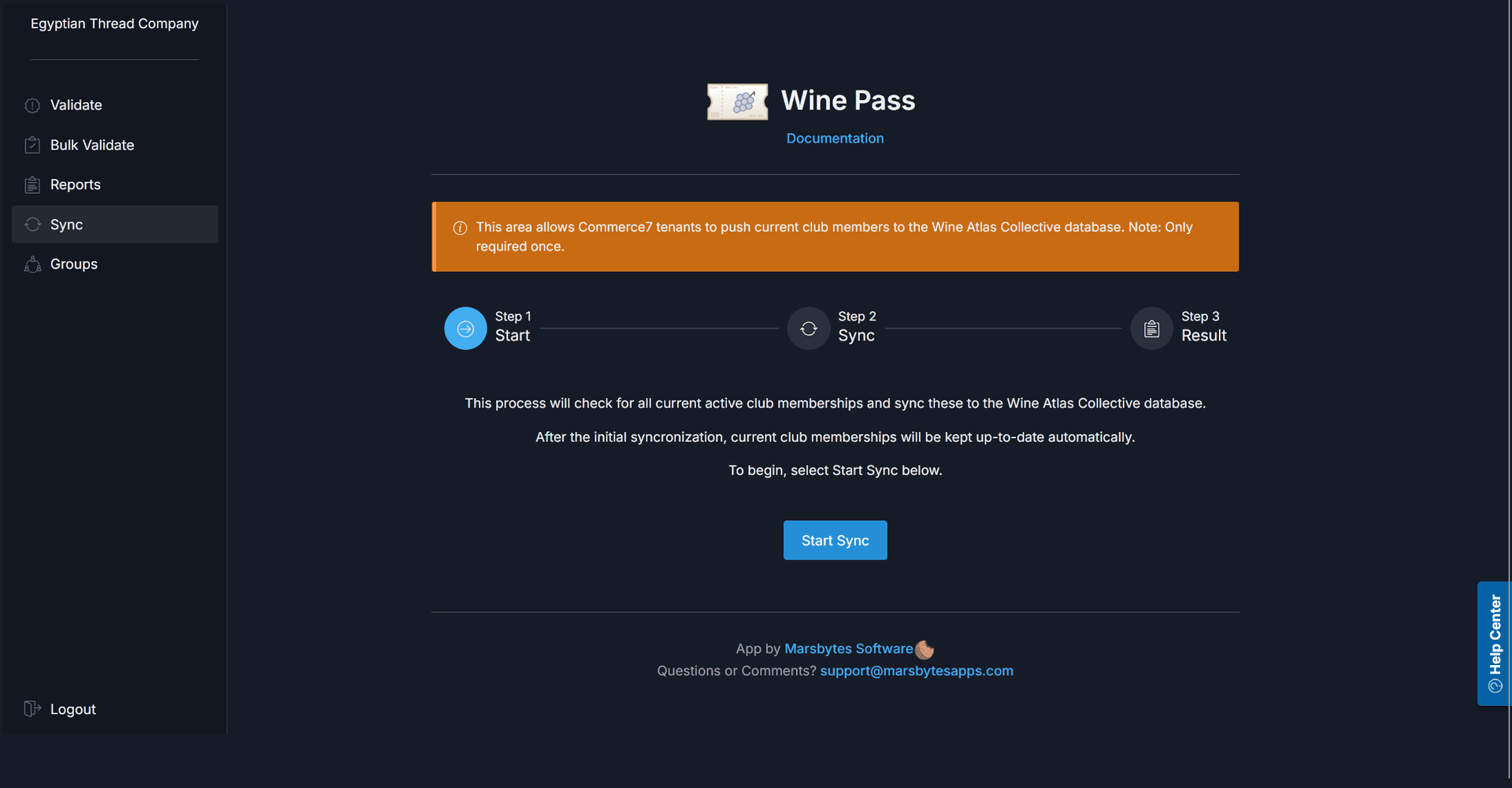
Club membership data is kept in sync automatically via webhooks — but if you need to force a refresh, you can trigger a manual sync at any time. This is useful after bulk membership changes or onboarding a new partner.
Bulk Validation & Reporting
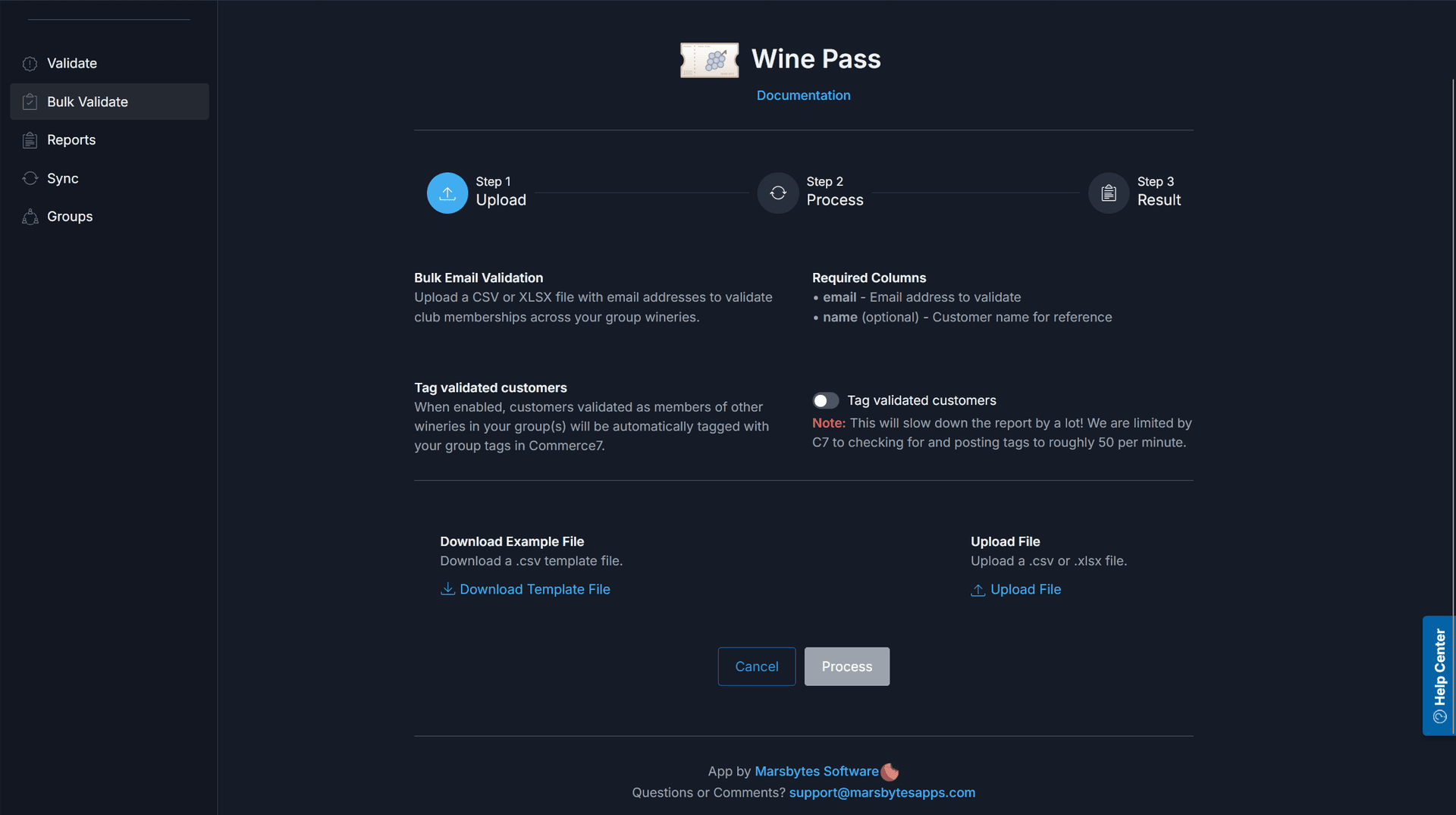
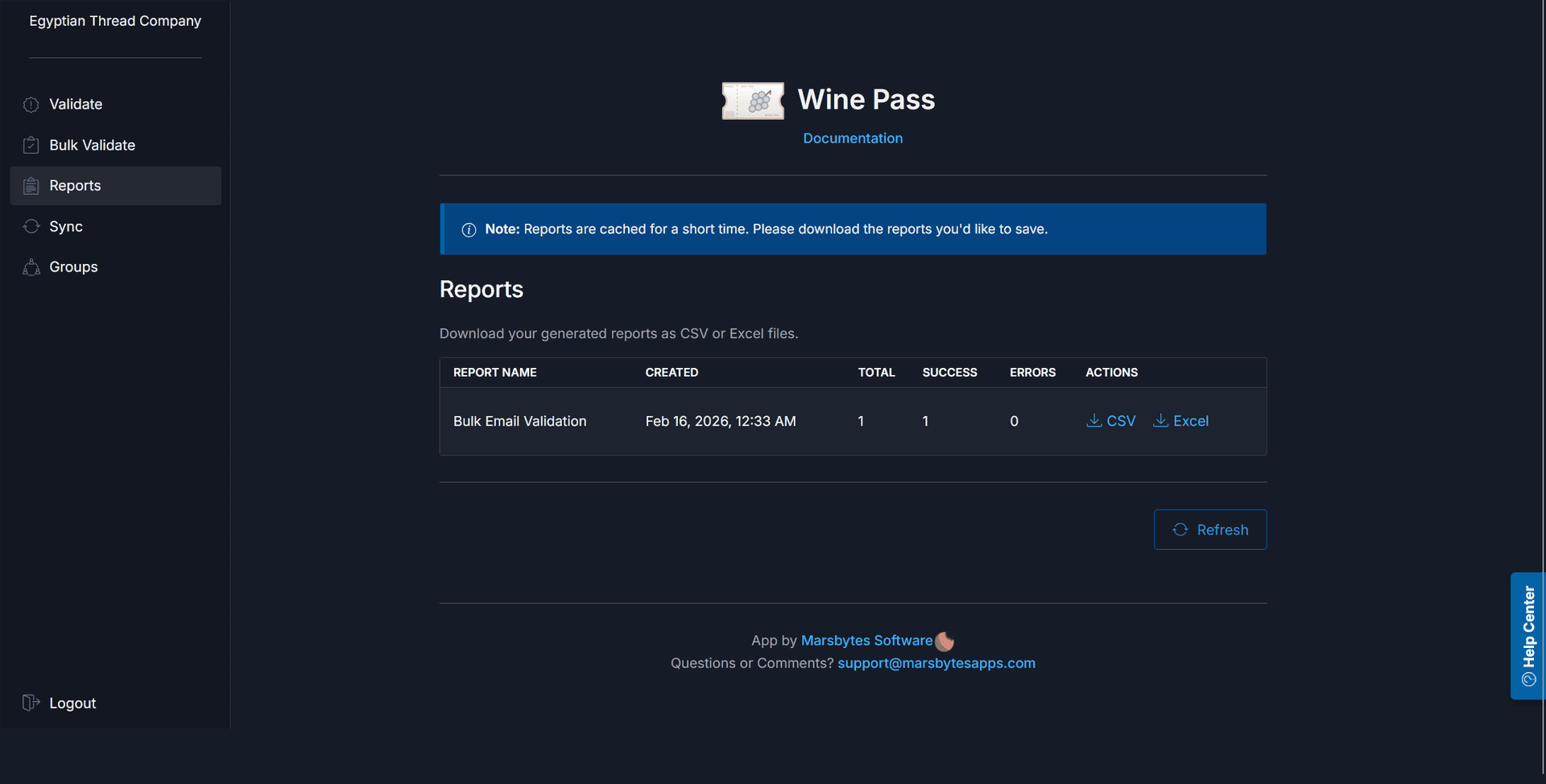
Run bulk validations across your entire customer list and generate downloadable reports. Tagging can be applied in bulk as well — ensuring your entire database is up to date in one pass.
Important Notes
- →The app does NOT tag customers who are exclusively club members of your own winery
- →Tags are applied only when membership is confirmed with at least one other group member
- →Membership changes are kept in sync — tags are added or removed as status updates
- →New customers are auto-validated so benefits apply immediately from sign-up, reservations, or purchases
Upcoming Features
We're always building and actively adding new features to improve our apps. Here's what's coming:
Sync Loyalty Points
For wineries using the Commerce7 Loyalty extension, Wine Pass will automatically keep loyalty points in sync across all tenants in your group. Reward customers for engagement across your entire network — no manual reconciliation needed.
Need Help?
If you run into any issues, contact us at support@marsbytesapps.com
Please include: your winery name, screenshots of any errors, and steps to reproduce the issue.